


HeyBuddy Club
4.5345.00 Reviews
App Specs
- Version
- 3.0.2
- Updated On
- License
- Free
- Downloads
- 10,000+
- Developer
- HeyBuddy Club
- Categories
- Lifestyle
- Platform
- Android
Screenshots
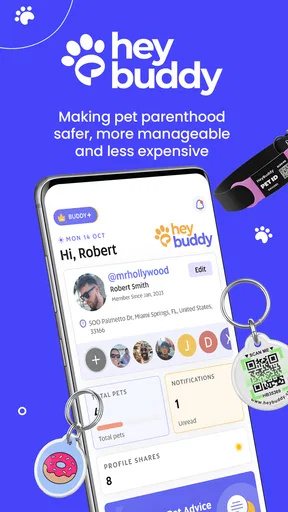

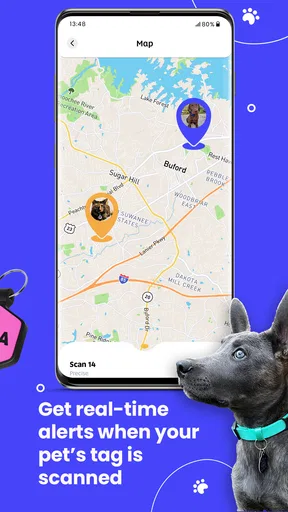

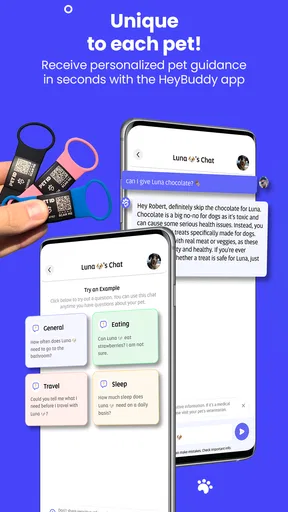
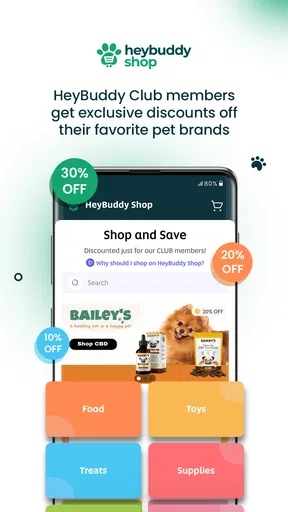
 Analysis by AppCompare
I approached HeyBuddy Club as a lifestyle app for people who want a more organized way to handle everyday pet care. Its promise is simple: make pet parenthood feel less scattered. In practice, that means the app is most interesting when it helps turn small, easily forgotten responsibilities into a routine you can actually follow.
That focus matters because pet care is rarely difficult for just one reason. The challenge is remembering the right task, keeping information available, making choices with another person, and staying consistent when work or travel interrupts the usual schedule. A tool that brings those moments together can be genuinely useful, but only if it gives the owner enough control over what is entered, shared, and acted on.
HeyBuddy Club is free to install, with optional in-app purchases ranging from $7.99 to $79.99 per item. It is developed by HeyBuddy Club and sits in the lifestyle category rather than presenting itself as a medical or veterinary replacement. I would keep that distinction in mind from the beginning: this is a companion for managing pet-parent routines, not a substitute for professional advice when an animal is ill or in danger.
What using HeyBuddy Club feels like in daily pet care
The strongest way to understand this app is to imagine a normal weekday. You are leaving for work, your dog has a feeding routine, a walk still needs to happen, and someone else in the household may be handling the evening responsibilities. Without a shared system, these details often live in memory, text messages, paper notes, or several unrelated apps. HeyBuddy Club is designed around the idea that pet life deserves a more central place.
I find that approach more practical than a general notes app when the information is specifically connected to being a pet owner. A note can store anything, but it does not naturally encourage you to think in terms of recurring care, household coordination, and the difference between an occasional event and a daily habit. The value here is not flashy entertainment; it is reducing the mental load around a living responsibility.
That also explains who will benefit most. The app makes the most sense for a first-time pet parent, a busy owner building a dependable routine, or a household where care is shared between several people. It can also help someone who is preparing for a change in schedule and wants pet-related responsibilities to remain visible instead of becoming an afterthought.
I would be more cautious if you already have a carefully maintained system that works across your calendar, reminders, notes, and veterinary records. Moving to another app only helps when it reduces friction. If it creates another place to check without replacing anything else, the result may be more clutter rather than better care.
Worth Reading Before You Choose

Flipboard Shows What News Apps Must Do Beyond the Feed

Switching to Android Auto Means Rethinking Your Driving Routine

Google Calendar Makes a Crowded Week Easier to Manage

Ludo King Makes the Most of the Minutes Between Plans

Baby Panda World Brings Quick Play to Modern Phones, but Its Game Library Feels Busy

ESPN’s Live Game View Makes Following Close Games Easier
Trust starts with what the app lets you see
For a lifestyle app connected to an animal’s routine, trust is not only about whether the interface looks polished. I want to know what I am being asked to provide, which actions require my approval, and whether I can make sensible choices without feeling pushed into sharing more than necessary. HeyBuddy Club deserves to be judged through that practical lens.
The app’s public positioning is centered on simplifying pet parenthood, which is a useful direction, but a short promise does not tell me how every personal choice works inside the product. I would therefore treat the first setup as an important review point rather than tapping through it automatically. Read each request, check which fields are genuinely needed for the feature you want, and avoid entering sensitive details simply because an optional box is available.
This is especially relevant when an app may be used by more than one person. Pet information can overlap with household information: names, routines, locations, schedules, and contact details can all become connected. A responsible user should decide in advance which details are necessary for coordination and which are better kept private. That habit is useful regardless of the app, but it becomes more important when convenience encourages broader sharing.
I also recommend separating routine information from urgent decisions. A reminder or planning tool can help you remember a task, but it should not become the only place where you store information needed during an emergency. Keep essential veterinary contacts and critical medical details accessible in a way that does not depend entirely on opening one particular app or remembering one account.
Account choices deserve attention before convenience
One of the less obvious trade-offs with any pet-management app is that the easiest setup is not always the most thoughtful setup. People often create an account quickly because they want to reach the useful part, then forget what they agreed to or which details they entered. My advice is to pause at the beginning and decide what role HeyBuddy Club will play: personal organizer, shared household tool, or a temporary way to test a routine.
That decision affects how much information you should put into it. If you are testing the app for a single pet-care workflow, start with only the information needed for that workflow. Use the experience to see whether the app genuinely saves time before building a complete personal profile around it. This is a more controlled approach than importing every detail immediately.
I would also look for visible account controls during normal use, not only during setup. A trustworthy experience should make it reasonably clear how a user can adjust preferences, review choices, or stop using the service. If a setting is difficult to find, that is a form of friction worth noting. People should not have to rely on guesswork when managing their own account or deciding whether a feature remains useful.
The app is intended for a Teen audience, so I would be particularly careful when a younger household member is involved. A teenager may be perfectly capable of handling walks, feeding, or reminders, but shared access should still be agreed on by the responsible adults. Before inviting anyone else into a pet-care routine, discuss what they can view, what they can change, and who remains accountable for the animal’s wellbeing.
Data-sensitive moments are usually ordinary moments
The most sensitive parts of using a pet lifestyle app are not necessarily dramatic. They can happen when you type a pet’s name, add a routine, enter a location-related detail, or connect the app to the way your household operates. Each item may seem harmless by itself, but together they can describe where people live, when they are away, and how their daily lives are structured.
That does not mean you should avoid the app. It means you should use a minimum-necessary approach. If a feature works with a general description, there is no practical reason to add more identifying detail. If a task only needs a time or a simple label, do not turn it into a full personal record. This keeps the app useful while limiting the amount of information tied to your account.
I would apply the same care to photos and free-text notes. A picture may include a home interior, a street sign, a license plate, or another person. A casual note may reveal travel plans or contact information. Before saving anything, ask whether it improves pet care enough to justify being stored. This is a small habit, but it is one of the most concrete ways to retain control over a lifestyle app.
Permissions should be considered in context rather than accepted as a package. If the app asks for access to a device feature, I would first identify the exact function that needs it and decide whether I am comfortable granting that access. If the feature is optional, declining it may be the better choice. If it is central to the experience, I would still review the operating system’s permission controls later so I know how to change my decision.
Because the app includes optional purchases, I would also separate payment decisions from trust decisions. A free installation allows you to assess the basic experience before spending money. Do not buy an item merely because you have already entered information or invested time in setup. First check whether the paid option solves a real problem in your routine and whether the purchase matches how often you expect to use the app.
Small workflows that make the app more useful
My first practical tip is to use HeyBuddy Club as a handoff tool, not just a private memory aid. When two people share pet care, the question is often not “what should happen?” but “has it already happened?” A clear routine can reduce duplicate feeding, missed walks, or the awkward uncertainty that leads one person to do the same task twice. The app is most valuable when everyone agrees on one place to check.
My second tip is to begin with the tasks that fail most often. Do not try to document every part of pet ownership on the first day. Choose the recurring responsibility that is most likely to be forgotten, establish that workflow, and observe whether it becomes easier. Once the habit is stable, add another layer. This staged approach makes it easier to tell whether the app is helping or whether the setup itself is becoming a chore.
A third useful approach is to treat changes in routine as temporary projects. If your work hours change, a family member is away, or another person is caring for your pet, update the routine for that period and review it when normal life returns. Many organizational tools become inaccurate because temporary arrangements are left in place indefinitely. A quick reset is just as important as the initial setup.
There is also a subtle benefit to keeping care information understandable to someone who did not create it. If another household member has to take over unexpectedly, they should not need to decode private abbreviations or search through unrelated notes. Use plain labels and consistent wording. That is not a special feature claim about the app; it is a workflow choice that makes any shared pet-care system safer and easier to use.
Where it compares well, and where alternatives win
Compared with a basic calendar, HeyBuddy Club has a more focused reason for existing: pet care is the subject rather than one item among appointments, work meetings, and errands. A calendar may be better for time-specific events that involve the entire household, but it can feel too general for the repeated, context-heavy details of living with an animal.
Compared with a notes app, the advantage is organization around a recurring responsibility. Notes are flexible and excellent for long-form information, but they often depend on the person who wrote them remembering to revisit them. HeyBuddy Club is a better fit when the main goal is keeping pet-parent tasks visible and actionable rather than writing a detailed reference document.
Compared with a messaging thread, a dedicated app can reduce the problem of important information disappearing beneath unrelated conversation. Messaging remains better for urgent discussion and quick questions, especially when a vet or caregiver needs an immediate answer. I would not replace those channels entirely; I would use the app for routine structure and messaging for situations that need direct human conversation.
Compared with specialized veterinary software or a clinic’s own system, HeyBuddy Club should be viewed as the everyday layer, not the authoritative medical record. If your priority is prescriptions, formal clinical history, or communication with a veterinary practice, a dedicated medical channel is more appropriate. The lifestyle focus is a strength for routine management, but it is also the reason not to expect clinical depth from it.
Performance expectations and practical limitations
The current version is 3.0.2, and the app supports devices running Android 7.0 or later. That gives it a broad compatibility range for many Android users, although compatibility alone does not guarantee that every older phone will feel equally smooth. If your device is aging, test the basic workflow before committing to a paid option or moving all of your pet information into the app.
The public audience response is encouraging, with an average rating of 4.5 from around 1.7 thousand ratings and more than 300 written reviews. It has also passed 10 thousand installs. Those figures suggest that the app has found a real audience, but they should not replace your own assessment. A high average can coexist with individual frustrations around setup, notifications, account handling, or the fit between the app’s workflow and a particular household.
The free entry point is helpful because pet-care organization is personal. Some owners need only a simple routine, while others may be willing to pay for a more involved experience. Since individual purchases can reach $79.99, I would be especially deliberate about checking what you are buying and whether it provides lasting value. A purchase is easier to justify when it replaces several disconnected habits; it is harder to justify when it merely duplicates a calendar reminder you already manage well.
Another limitation is behavioral rather than technical: no organizer can compensate for unclear responsibility. If everyone assumes someone else will check the app, the routine can still fail. Before relying on HeyBuddy Club, agree on who owns each task and how exceptions will be handled. The app can support accountability, but it cannot create it automatically.
Who should try it first
I would recommend starting with HeyBuddy Club if you are new to pet ownership and want a focused place to build dependable habits. It is also worth trying if your household has recently added a pet, if responsibilities are frequently misunderstood, or if you are tired of searching through general-purpose tools for pet-related information.
It may be a good fit for someone who likes structured routines but does not want to assemble a system from a calendar, spreadsheet, notes, and chat messages. The focused lifestyle category is important here: the app is easier to understand when your goal is not “manage my entire life,” but “make pet care easier to remember and coordinate.”
I would skip it, or at least delay adopting it as your main system, if you dislike account-based organization, prefer paper records, or already have a reliable shared workflow. I would also avoid treating it as the only source of urgent medical information. Owners with complex clinical needs should keep professional records and veterinary communication in the channels designed for those purposes.
My cautious verdict
HeyBuddy Club has a sensible everyday purpose and a clear audience. I like the idea of giving pet care its own space instead of forcing owners to improvise with tools built for unrelated tasks. The free starting point makes it possible to test whether that focus actually improves your routine, while the current Android support makes it accessible to a wide range of devices.
My recommendation comes with one condition: use it deliberately. Review permissions and account choices, enter only information that serves a clear purpose, and decide how the app fits alongside your calendar, messages, and veterinary records. The more shared or sensitive your household routine is, the more important those choices become.
For me, the best reason to try it is not the promise of a perfect all-in-one solution. It is the chance to create one dependable place for ordinary pet-parent responsibilities and then see whether that reduces mental clutter. If it does, the app can earn a useful role in your day. If it does not, a simpler calendar or a well-maintained shared note may be the better choice. The right tool is the one that makes care clearer without taking control away from the owner.
Pros
- Simple interface makes club updates and member information easy to find.
- Useful for receiving announcements
- reminders
- and event notifications in one place.
- Helps members stay connected without relying on multiple messaging platforms.
- Convenient access to club resources and shared information while on the go.
- Can improve participation by keeping upcoming activities visible and organized.
Cons
- Its usefulness depends heavily on whether your club actively maintains the app.
- Some features may be unavailable unless your organization has enabled them.
- Frequent notifications can become distracting if event alerts are not customized.
- New members may need an invitation or club credentials before accessing content.
- Performance and available tools may vary between different clubs using the app.
FAQs for HeyBuddy Club
What is HeyBuddy Club, and what can I do with it?
HeyBuddy Club is a social networking and community-focused app designed to help users connect, communicate, and discover people or activities that match their interests. Depending on the features available in your region, you may be able to create a profile, browse other members, exchange messages, join community interactions, and manage personal preferences. The exact experience can vary according to your location, age, and the latest version of the app.
Is HeyBuddy Club free to download and use?
HeyBuddy Club may be available to download at no initial cost, but some features can require in-app purchases, a membership, or a subscription. Before registering or paying, review the pricing information shown inside the app and check whether subscriptions renew automatically. It is also worth confirming what is included in the free version, because access to messaging, visibility, premium interactions, or additional profile options may be limited.
Is HeyBuddy Club safe and suitable for everyone?
The app should be used responsibly, especially when interacting with people you do not know personally. Check its age rating and privacy policy before creating an account, and avoid sharing sensitive information such as your home address, financial details, passwords, or identification documents. If HeyBuddy Club includes public profiles or direct messaging, use blocking and reporting tools when available, and arrange any real-world meeting in a public place.
What information does HeyBuddy Club require during registration?
Registration requirements can differ depending on the platform and the current app version, but users may be asked for details such as an email address, phone number, name, date of birth, profile photo, or general location. Some information may be optional, while other details are needed to create or verify an account. Read the permission requests carefully and only enable access to contacts, location, camera, or notifications when it is necessary for the features you want to use.
What should I do if HeyBuddy Club does not work properly?
If HeyBuddy Club crashes, fails to load, or does not send notifications, first check your internet connection and make sure the app is updated through the official Android or iOS store. Restarting the app or device can also resolve temporary problems. If the issue continues, review the app’s permissions, clear its cache where supported, or reinstall it after confirming that your account information is backed up. For account-specific problems, contact the developer through the official support channel.


